Desertcart purchases this item on your behalf and handles shipping, customs, and support to Poland.
🚀 Elevate your living room with the ultimate 4K HDR streaming powerhouse!
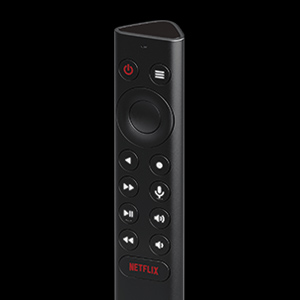
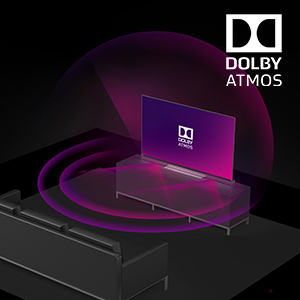
The NVIDIA Shield Android TV Pro is a premium 4K HDR streaming media player powered by the advanced Tegra X1+ processor, offering AI-enhanced upscaling, Dolby Vision and Atmos support, 3GB RAM, and dual USB 3.0 ports for extensive expandability. It integrates Plex Media Server, supports thousands of apps and games including GeForce NOW cloud gaming, and features a voice-controlled remote compatible with Alexa and Google Assistant, making it a versatile centerpiece for entertainment and smart home control.


| ASIN | B07YP9FBMM |
| Best Sellers Rank | #929 in Electronics ( See Top 100 in Electronics ) #13 in Streaming Media Players |
| Brand | NVIDIA |
| Built-In Media | Remote Controller |
| Color | Black |
| Compatible Devices | Television |
| Connectivity Technology | Ethernet, Wi-Fi |
| Connector Type | HDMI |
| Controller Type | Voice Control |
| Customer Reviews | 4.4 out of 5 stars 13,463 Reviews |
| External Testing Certification | Não Aplicável |
| Form Factor | TV Box |
| Global Trade Identification Number | 00812674023038 |
| Item Dimensions L x W x H | 6.26"L x 1.02"W x 3.58"H |
| Item Type Name | Streaming Media Player |
| Item Weight | 2.1 Pounds |
| Manufacturer | NVIDIA Corporation |
| Memory Storage Capacity | 16 GB |
| Mfr Part Number | 945-12897-2500-101 |
| Model Name | NVIDIA SHIELD TV Pro |
| Model Number | 945-12897-2500-101 |
| Other Special Features of the Product | Android Phone Control, Microphone Feature |
| RAM Memory Installed | 3 GB |
| Resolution | 4k |
| Smart Home Compatibility | Not Smart Home Compatible |
| Special Feature | Android Phone Control, Microphone Feature |
| Supported Internet Services | Amazon Instant Video, Hulu, Hulu Plus, Netflix, Pandora |
| UPC | 812674023038 |
| Unit Count | 1.0 Count |
| Video Codec | H.265/HEVC |
| Video Output Resolution | 4K (3840x2160) |
| Warranty Description | One (1) year from the date of purchase of your new Warranted Product. |
P**R
The Best Android TV Experience
The NVIDIA Shield TV Pro is one of the best streaming devices I’ve ever used. I mainly bought it to bring a full Android TV experience to my television, and it works perfectly. The performance is incredibly fast, apps open instantly, and navigation is smooth with no lag. Streaming quality is excellent, supporting 4K HDR content with great picture quality. It also handles multitasking and demanding apps much better than most built-in smart TV systems. Setup was simple, and everything worked right out of the box. Even after extended use, it remains responsive and reliable. If you want to upgrade your TV with a powerful Android TV system, this is absolutely worth it.
P**L
Dolby Atmos! Updated: Media Streamer Comparison Review+
As pictured, the Nvidia shield tv pro NOW supports Dolby Atmos music and Yes it is amazing, and well separated throughout my 7.2.4 setup and much more immersive than stereo music. From what I understand dac’s don’t currently support Dolby Atmos music and right now the only way to listen to Dolby Atmos music is to first have a good streaming device, like the nvidia shield tv pro, and second it has to be connected to your dolby atmos source via an HDMI cable. For example, I can ONLY listen to true Dolby Atmos music through the tidal app of my Nvidia, which is connected to my Dolby Atmos AVR, Denon AVR-x4500h. Dolby Atmos music is honestly brand new to me as I have been using tidal connect which doesn’t support Dolby Atmos at the time of this review. Dolby Atmos music is hands down better than stereo and reminds me of listening to great music that is played on a dolby atmos movie! The sample rate for dolby atmos is currently reading at 48khz but as we all know it’s difficult to tell the difference between 24 bit 192khz and 16bit 44khz because what really matters is how well the track was mastered, something we cannot quantify at this time. I would think Dolby atmos music would be identifiable in a blind listening session since the surround channels are so engaging! This is another example of why the nvidia shield pro is such a great streaming device!!! Update: After having this unit a few years I’ve finally gotten a chance to get an upgraded dac for my system and find the best source to play to my dac. After trying Bluetooth, airplay2, and using the hi res USB Audio function of this shield pro (hardwired to my dac) and found this is this machine that gives you an amazing music experience.. if you like to rock! The biggest improvement in sound is how the shield pro makes your subwoofers work for the money! My subs really come alive in hi res usb while played from the nvidia. I compared playing usb music between my iPhone and the shield which plays to a new hi-res, affordable, 1mii DS -601 dac and the biggest difference between playing hardwired from my iPhone and hardwired from the shield is how well the signal processes in my subwoofers. It’s fun and I highly recommend using this product for hi-res USB music (Tidal is awesome at sound quality and discovering/rediscovering your fav music) as well as a stout dolby atmos/vision machine! This does it all!!! Thank you nvidia🙂 This review compares the Full Nvidia Shield Pro against the newest Apple TV 4k 3rd generation and Roku Ultra on a cheap hiscence 65” TV with an Audiophile grade Dolby Atmos 7.2.4 Home Theater Component Setup. The picture quality of the Nvidia Shield Pro is near equivalent to the Apple TV, but is better at upstreaming and removing that annoying CGI Wavy dark background from your video playback. The Roku Ultra is very unremarkable when compared against the Nvidia Shield Pro and Apple TV and wont be mentioned further. Please keep in mind this is Nvidia, so the fact this product is the best shouldn’t be a surprise based on how well the stock has performed historically. The apple TV doesn’t detect the available video settings like the Nvidia does, which I love. What this means is that you get to find a Dolby Vision and HDR10 setting that eliminates the Wavy CGI dark background and replaces it with rich detail!! I ultimately picked this because I am an audiophile and love Dolby Atmos! This streaming device makes Dolby Atmos really pop! If you already have a great Dolby Atmos system this device is definitely worth considering as it will upgrade your audio experience as well as video experience! You do have to play around with the display settings though to find what works best for your TV, screenshots of possible settings (for my TV available). I found my favorite setting is Dolby Vision, default was Non-Dolby Vision set at 4k 59hz. For my TV Dolby Vision was only available at 4k 29hz but again, this lower refresh rate removed the wavy CGI dark background that interferes with your movie watching experience! I love this Streaming Device and have settings listed below: The default picture and sound is standard, you must first change the default video settings to 4k with Dolby vision and HDR as pictured to achieve the best picture possible (Pro). Also change the Audio settings to manual and select all Dolby and DTS Settings for optimal sound(Pro!). The default is regular 4k which will not appear that different from your budget smart TV. Once the settings are optimized on this device you will find this android device is much better than the Apple TV, which is hard to beat! This device is worth the price as it optimizes the picture and sound. I don’t use this for games, only to enhance the picture and make the surround sound really pop! This truly is A must for anyone who is an audio enthusiast and/or for someone who has bought a budget TV like a Hiscence, as I did. UPDATE: The screensavers are beautiful! Can you please put the locations on them instead of the photographers name, where applicable, it would be greatly appreciated!!
J**G
Powerful Streaming Device with Excellent 4K HDR Performance
Powerful Streaming Device with Excellent 4K HDR Performance I purchased the NVIDIA Shield Android TV Pro to upgrade my home entertainment setup, and it has been one of the best streaming devices I’ve used. The first thing I noticed was how fast and responsive the interface feels. Apps launch quickly, navigation is smooth, and the device handles multitasking without any noticeable lag. Setup was straightforward, and it integrated easily with my existing TV and sound system. Picture quality is outstanding. 4K HDR content looks sharp, vibrant, and detailed across streaming services, making movies and shows look fantastic. The AI-enhanced upscaling feature is especially impressive, helping older HD content appear clearer and more refined on a 4K display. One of my favorite features is the versatility of the Shield TV Pro. In addition to streaming, it supports a wide range of apps, media playback options, and gaming features. The built-in Chromecast functionality and Google Assistant integration add convenience, while the powerful hardware ensures reliable performance even during extended use. Pros: • Fast and responsive performance • Excellent 4K HDR picture quality • Impressive AI upscaling for HD content • Wide app compatibility and media support • Built-in Chromecast and Google Assistant • Reliable and powerful hardware Cons: • Higher price compared to basic streaming devices • Remote may take some time to get used to for new users Overall, the NVIDIA Shield Android TV Pro is an outstanding streaming and media device. If you want premium performance, excellent picture quality, and a feature-rich entertainment hub, it is an easy recommendation.
L**H
Powerful and customizable
I've tried all the streaming gadgets. Late to NVIDIA SHIELD TV Pro because of the price. It's the best and worth the extra bucks over the other Ultra models. Even though it's the oldest of the bunch it still performs the best. Only thing lacking because of age is HDR10+. Installed a customizable Android home screen replacement and button mapper for the remote. Love the device. It's actually does what I want. Not just a there to feed me ads and track everything I do. Hopefully NVIDIA will make an updated device created in the same feature rich, consumer first design.
8**S
Viable replacement for WD Media Player. Works well with a DAC with some effort.
A couple of weeks ago, my Western Digital Live TV Media Player (almost 20 years old) gave up the ghost. I had been prepared for this eventuality, and was thinking I could replace it with a customized Raspberry Pi, the Roku Ultra, or the Nvidia Shield TV Pro. When the WD Media Player died, I called a couple of online audiophile dealers to determine what were their options -- and their recommendations were twice or more the price of the Nvidia Shield option. I looked again the helpful Amazon pictures and though the Shield Pro had not optical output for my much higher priced (and very musical) DAC, it did have two USB ports, which would possibly work with the USB port for my DAC. I am not very technical or good with hardware, so instead of taking on what might be a challenging Raspberry PI project, I decided to roll the dice on the Nvidia Shield TV Pro. It was delivered next day, and to my disappointment, no sound came when hooked up to my DAC. This was after going through the settings and enabling the USB out option. Time for additional searching on Google, and eventually I came across a post titled "HOW TO SETUP THE NVIDIA SHIELD PRO AS A BIT PERFECT AUDIO STREAMER/PLAYER." Now there may have been other, and even better or easier options, then what the article recommended, but I did as it said, and searched for the Sony Music Centre in the Google Play Store on my Amazon Fire tablet, installed an app called Side Launcher on the Nvidia Shield Pro as well as the tablet, and then sent the downloaded apk (a term I had not previously heard) from my tablet to the Shield via the Side Launcher App. With the Sony Music Centre/Center installed, I plugged in the DAC chord from DAC to Shield, the Music Center recognized it and gave me the option (as indicated in the article) to allow pass through audio. I then went to play something via the X-Plore file manager I had just installed on the Shield. I was prepared for no sound -- and that is what happened the first couple of seconds -- but, to my delight, the sound went from the Shield to my DAC to my amplifier to my speakers! This worked for files on my attached 4 hard drives (attached via a hub to the other USB port available in the Shield) to my PC, to the streaming on Youtube, Peacock and Plex TV which used the Plex Server on my PC for the files there. Next steps, was to expose those 4 attached drives to the Shield so I could see them in the PC which I was able to do with some trial and error, after watching a youtube video on how to set up a the Shield as a Network Attached Storage Device. (This had taken no effort to do with the WD TV Media Player, but was not so easy for me with the Shield. I did this so I can move files back and forth from PC to those drives attached to the Shield, just like I was able to do with the WD Media Player.) Sound was as good (or better -- I couldn't, to A to B comparisons since the WD player was inoperable) as my old WD Media Player solution but the file manager I was using (X-plore) couldn't work with cue files like the WD Media Player. In addition, though the WD Media Player didn't support .ape files, it could sometimes play them and always see them, but not so with the X-Plore app. After more googling, I found out about Kodi (yes, I was pretty clueless about all this stuff) and installed that. It also has an option for audio pass through, which I enabled, and unlike X-Plore, I could see the individual tracks on single flac files that had associated .cue files. And an improvement over the WD Media Player, it could play not only .flac files, but also .ape files! So at this point I am happy with the sound of the Nvidia, happy with the ability to play my audio files and how well Kodi works, and even find that it has made my old Roku redundant. (I had considered replacing the old Roku and WD Media Player with the Roku Ultra, but didn't after Roku support indicated that it wouldn't work with a USB hub with multiple drives -- maybe it really would have, but not sure it wouldn't have allowed me all the functionality that I have with the Shield.) So at this point very happy with the Shield, particularly the quality of pictures when watching streaming channels (I set the AI video enhancement option -- a great feature) and most importantly happy with the quality of the audio! It was great listening to Gentle Giant's remastered Power and the Glory with the sounds appearing from multiple parts of the room (my setup is traditional stereo but this effect happens with two well placed speakers) and some Haydn Keyboard Trios on original instruments (each note of the fortepiano is so clear, and most importantly the humor in the music, so well interpreted by the musicians, is so effectively conveyed.) At first I had thought I had wasted $200 on the Shield, but after taking the time to learn some of what it is capable of, found it to be a great audiophile-level solution!
J**S
Still one of the best media devices ever made
I bought this November 2019. It's now March 2025 and this thing still is one of the best items I've ever used. Nvidia still updates to patch security, fix bugs, and update features. Content plays super smooth and you have so many apps available to stream or play pretty much anything you would want. I've had minimal issues over the time I had it. Occasionally the remote will disconnect and I need to re-pair it, but that takes like 2 mins. It's super easy to set up and works great with my Samsung Smart TV. The Pro version has a decent amount of storage and I linked a network drive with all my media.
E**H
A museum piece sold as a new item.
Setting this up now. What a joke. There were two options. One was set up with the remote and one was set up with your phone. The phone setup seems extremely outdated and you cannot set it up with your phone. You have to use the remote setup. Next it was scrolling forever when I put in my wifi credentials which were correct and then it said network error but it worked on the second try with the same password that was saved. Next. That's lovely, I have to put in my Google email account manually Now going through the setup windows, if you look at the picture I uploaded, one of the recommended apps is Twitter for Android. How long ago was Twitter bought out? Lol I feel like this thing has been sitting in a warehouse for many years. I'll try to remember to update this review after using it for a while so far it's been a rocky start with the setup with this antiquated device but the UI seems pretty snappy at least just a little concerned about the hardware lasting since it seems like it's been sitting in a warehouse for a long time, and for $200 I feel like this thing should be much cheaper. I used it for a day, downloaded Streamio. It works, but it's slow, and considering how old it is for the price, I'm returning it again in the Xiaomi box. Down to 1 star on day 2 I had to update this review again because it turns out that you are locked to the keyboard that they provide you out of the box and you cannot add other languages. For $200 this is really outrageous. Another crazy outrageous aspect of this $200 ripoff museum piece is the fact that you have an ad plastered on your home screen that takes up more space than your apps. Again, this box is $200. final update it turns out the box had an update but I never got prompted for it I had to go through the settings to find it then I was able to select different language keyboards but it's already going back because the Xiaomi box is snappier and less than half the price. I will say that the shields remote is superior and clicks much nicer but it turns out it can pair with a Xiaomi box and it's $25. Not sure I'll buy it. We'll see if I'm still annoyed with this remote in a week. So in conclusion, I would not recommend the Shield Pro. It's extremely outdated. The setup experience was horrendous and the processor is showing its age.
M**E
The best streaming platform
Just got my new NVIDIA and wow, the picture quality is insane! Its hooked up to my onkyo TX-RZ50 Seriously, the detail and vibrant colors make everything pop. And the sound? Absolutely immersive; it truly feels like you're right there in the action. It's a game-changer for movie nights, for sure. If you're on the fence, definitely go for it!
A**V
Does everything it promised to do
Amazing and quick to ship internationally seller! Product itself is great. I was unlucky to end up with an LG tv with webOS operation system which limits a lot interaction with the tv, and this awesome nvidia gadget with android solves all my issues! Very fast in playing Dolbivision hdr videos
S**A
Awesome!!!!!!!!!!!!!!
Good Product Worth every penny
T**D
Freedom
Best item on the market
J**E
Increíble!
Es lo máximo en Calidad de Audio y Vídeo. Tuve Google Chromecast, Fire TV stick 4k y las reseñas y comentarios sobre que este ES el mejor Reproductor de Streaming en Verstilidad, Funcionalidad y Calidad son Ciertas! Increíble el escalamiento por IA a 4K, lo complemente para un Proyector escalable a 4K junto con un Onkyo HT-S3910 y la combinación es Increíble, Audio y Vídeo impecables con las configuraciones adecuadas (necesitas ver turoriales para sacarles provecho y maximizar su rendimiento) ..por lo menos yo lo hice así y encontré mejoras Increíbles! Además... puedes jugar en línea con Nvidia GE Forcé y agregar un control inalámbrico para X-BOX en mi caso...! (No soy tan gamer, pero representa otra gran ventaja, si no quieres adquirir una consola) Haré una actualización en unos meses que pruebe juegos y más de su desempeño.
J**.
FANTAN 2. ENCHUFES, EUROPEO Y INGLES..
FALTAN LAS DOS PIEZAS DE ENCHUFES, PAQUETE ABIERTO..... ENCHUFE EUROPEO / ENCHUFE INGLES O AMERICANO...... TERRIBLE........ DEVOLUCIÓN DEL PRODUCTO......
Trustpilot
1 month ago
2 weeks ago