We remain fully operational. Our teams are working around the clock to ensure your deliveries continue safely.

DOWNLOAD THE APP


Customer Services
Copyright © 2025 Desertcart Holdings Limited
DOWNLOAD THE APP
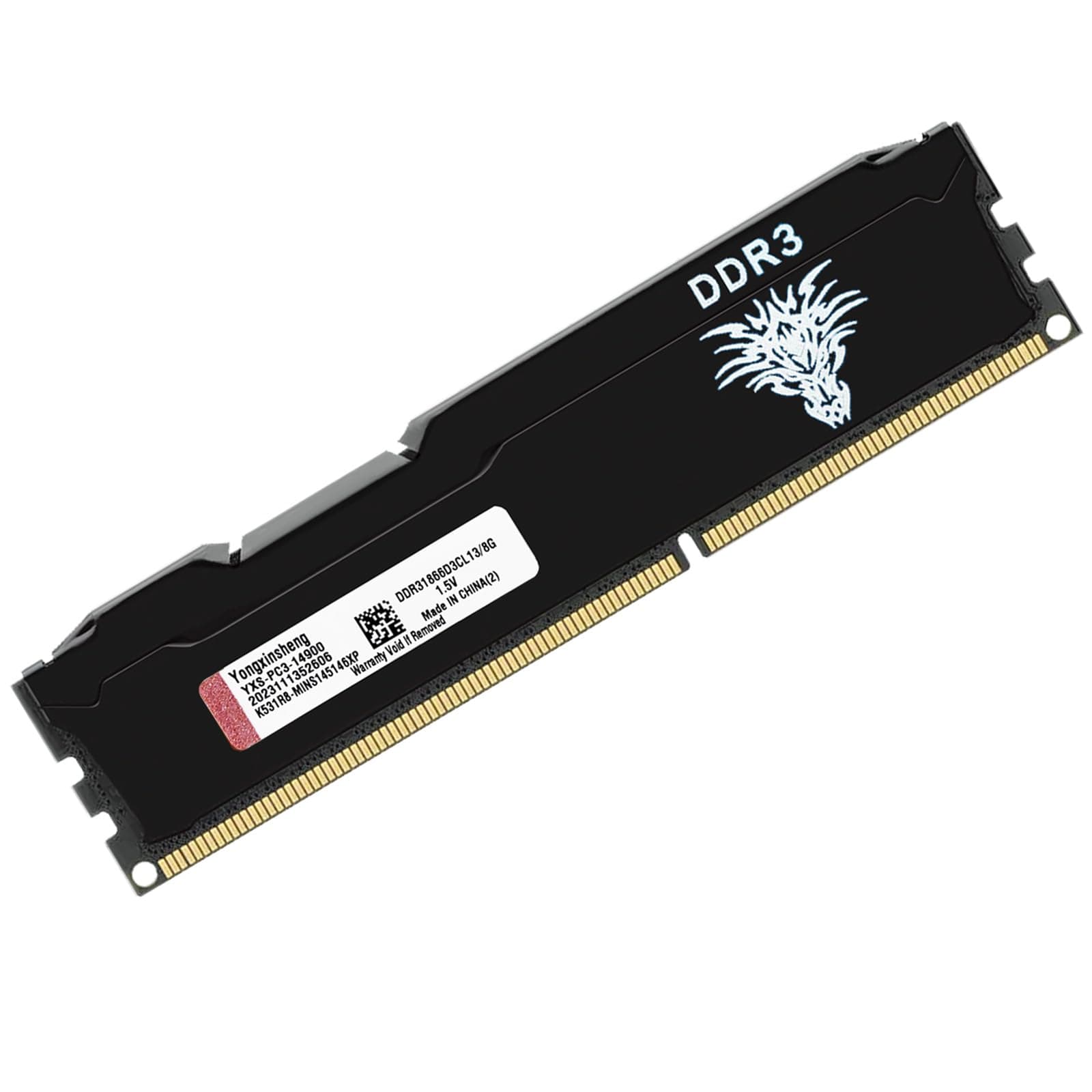
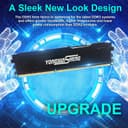
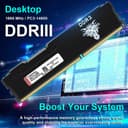


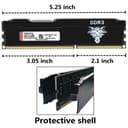
⚡ Upgrade your rig, upgrade your hustle — don’t get left behind!
The Yongxinsheng DDR3 8GB Desktop RAM module runs at a fast 1866MHz frequency with a stable 1.5V power supply, featuring a dual rank 2Rx8 architecture and a 240-pin UDIMM form factor. Designed with an aluminum alloy heat spreader, it ensures efficient heat dissipation and reliable performance, making it an ideal upgrade for professionals seeking to extend the life and speed of their desktop systems without a full overhaul.


| ASIN | B0BX978ZYM |
| Additional Features | High-performance |
| Best Sellers Rank | #211 in Computer Memory |
| Brand | Yongxinsheng |
| Column Address Strobe Latency | 13 |
| Compatible Devices | Desktop |
| Customer Reviews | 4.4 4.4 out of 5 stars (1,047) |
| Data Transfer Rate | 1866 MHz |
| Form Factor | DIMM |
| Manufacturer | Yongxinsheng |
| Memory Speed | 1866 MHz |
| Model Name | DDR3 |
| Number of Pins | 240 |
| RAM Memory Technology | DDR3 |
| RAM Size | 8 GB |
| Voltage | 1.5 Volts |
| Warranty Description | 1 Year |
M**O
My 8 year old desktop PC has been revived and runs better than ever!
So I was sitting here with an 8 year old HP desktop and pondering a full upgrade. I was running Windows 8, and the stock configuration which included an HHD and 8GB of DDR3 ram. Instead of splurging and spending $500+ for anything decent and new, I decided to do 3 things. 1. Got a free upgrade to Windows 10 which I didn't even realize I could do. 2. Upgraded the hard drive from an HHD to a Samsung SSD. And then 3. Upgraded the ram from 8gb to 32gb of this. And yeah, I think I'm all set for AT LEAST a year, if not more. My computer runs like a dream, it boots up extremely quickly and the lag is gone when I toggle between sites or add new tabs. I don't play any games, but I do often have 10+ tabs open in Chrome with spreadsheets and other things like that. Installation is a breeze, I simply popped out the old RAM and put this in. It took about 5 minutes total. You unscrew the computer case, swap RAM, and you're done. No setup needed at all, the computer recognized it and I was all set. I did have one instance, and only one, where I was toggling between tabs and the computer totally froze up. I just did a hard reboot and it was fine, nothing lost etc. Since I use the computer daily that's pretty good. Make sure your system can handle this RAM but otherwise no sweat, just buy it and enjoy. Looking back, instead of spending $500-1k+ on new hardware, I spend $0 for windows upgrade, and around $65 each for the SSD and 32GB RAM. So about $130 will buy me at least a year if not multiple more years of what I need. A great deal, and by the time I finally do upgrade my hardware (now I'm maxed on RAM since this machine only can handle 32 GB) things will be much more advanced and who knows how much faster and better things will be. Anyway, just buy this RAM, pop it in, and you're good to go. A great value. I would also highly recommend upgrading to a SSD hard drive (my samsung works well) if you have an older machine running an HHD.
M**T
Confirmed at 2200mhz
I added the 16gb here to the 16gb Corsair memory existing in my system at ddr3 2200mhz. It booted right up at 2200mhz and has no prob with the tighter xmp memory setting of the original Corsair Vengeance (2400mhz) memory running at 2200mhz. In short, I was able to double my memory and maintain the bandwidth and latency of the pricey Corsair that is no longer produced. My motherboard is an overclocking one with solid components. I suspect the people having issues above 1600mhz either haven't set their bios properly or their motherboard cannot handle the OC memory speeds. Edit: fully tested at 2400mhz with tight memory timings and it works flawlessly! Memory is a drop in replacement for my expensive Corsair Vengeance Pro which currently costs x2 as much USED.
S**A
very pretty and new!
these sticks work precisely as expected, but what was unexpected was new ddr3 at this price. i examined it carefully and it was completely untouched, despite ddr3 being hard to find new in general anymore. the white-branded black metal casing is very pretty. it actually looks a lot nicer than in the pics, including a large milled silver finish logo on the side facing away from the cpu that is smart rather than garish as it could have easily turned out. i doubt i will ever need ddr3 again but if i did i would definitely buy this. don't look any further! update: winsat reports speeds of over 21GB/sec which is around 60% faster than nominal for this type of ram, meaning it went into dual channel mode automatically as soon as i installed it. the motherboard is from 2012 so i am very impressed with this performance.
C**E
Ordered 1866 MHz but got 1600 MHz
I like it! It looks cool it work’s amazing I ended up dropping it… not even a scratch! I got a 16 gb (2x8) the memory comes as it says so overall very good! (Except the part where I got a 1866 MHz but got 1600 MHz)
J**Z
Great upgrade/replacement for old tower
Great replacement for old tower I have and use for testing. The RAM has allowed me to use an old chassis to virtualize multiple OS both Linux and Windows Compatible and saved me from having to purchase a new machine. The speeds are as expected with the MHz and GB stance. snaps right in and is easy to install as long as you have some knowledge of your device. Good quality memory for a decent price (At time of purchase, I cannot state what it goes for now or in the future)
D**R
Good
Awesome
S**G
Frequency rating is a lie...
If you're having trouble booting after installing these RAM sticks, go in to your BIOS and set the RAM frequency below 1600 MHz. I had my BIOS set to "auto" for RAM frequency. It detected 1866 MHz from these sticks, but the machine kept freezing during the boot process. Classic symptoms of RAM not working right. I finally manually set the frequency down to 1600 MHz, but still the same freezing. Finally, at 1333 MHz (that was all I had left, below 1600), it booted fine and is working. These are 1333 MHz sticks. I should return these on principle, so they can't keep my money, but I've already got too much time into trouble-shooting this issue and I need the extra RAM in this machine and it's not a gaming rig by any means. It's a tiny server, acting as a glorified router - 1333 MHz RAM is much faster than it needs. However, even though I'm not RETURNING these, I absolutely advise that nobody buy them. If you have them already, that's your call on whether to return, but there's no sense purchasing something that's falsely advertising specs.
T**T
Hands down the best option.
Been a Crucial lover and user for 15+ years. Tried the Samsung but had 3 of their ‘finest’ quit. The first held 4 years the other 2 never made 2. I bought a MX500 crucial and they are still issue free. So if theses are anything like the others. I’m in for smooth sailing.
G**O
4 banchi da 8 GB, problema risolto e fatto un buon upgrade. Memorie stabili che non creano alcun problema di crash. Ottimo prodotto
P**S
Excellent ram my pc is running fine thank you Amazon
J**.
Bien producto cumple con su función al 100
C**A
Cumplen su función perfectamente!
R**T
Bin baff wollte es einfach nicht glauben hab heute erst den Speicher bekommen und auf mehreren unterschiedlichen Mainboards probiert kein Ablehnung zwecks Erkennung des Mainboards. Sie nehmen alle diesen Speicher an also universell einsetzbar endlich Mal was gutes aus China sag ich bloß.
Trustpilot
1 month ago
1 week ago