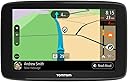
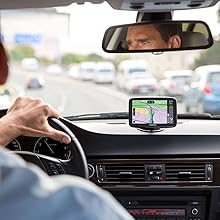
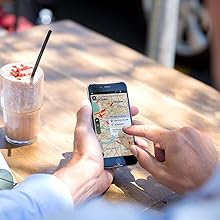
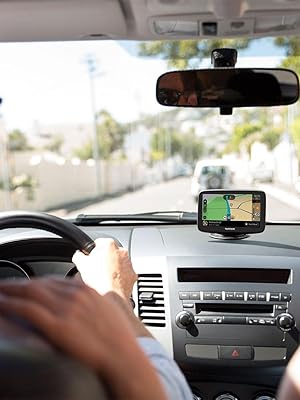
๐บ๏ธ Navigate smarter, drive coolerโnever miss a turn or a trend!
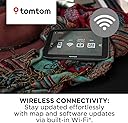
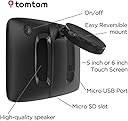
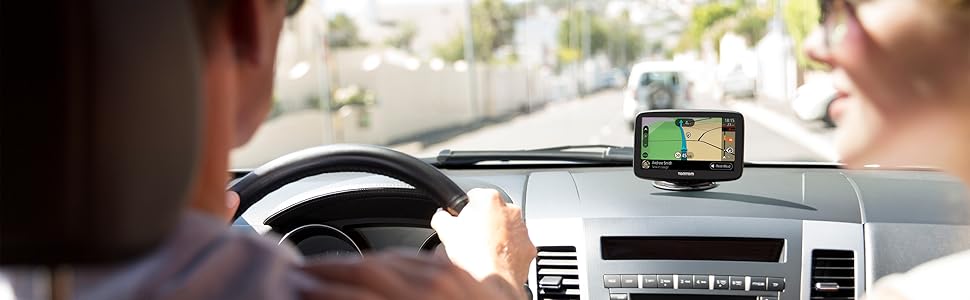
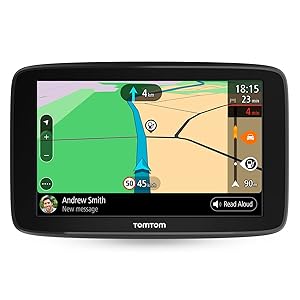
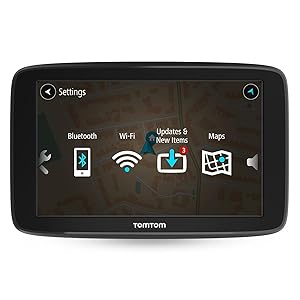
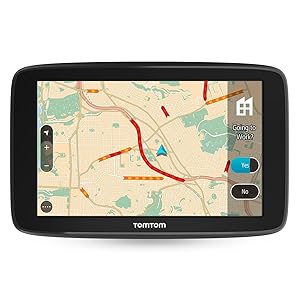
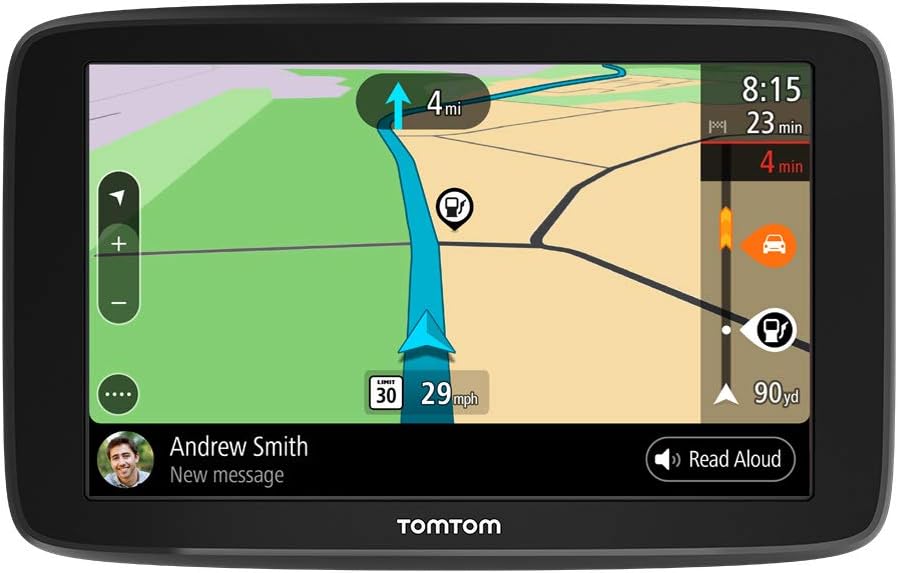
The TomTom Go Comfort 6-inch GPS offers Wi-Fi-enabled map updates, real-time traffic info, and smart routing with destination prediction. It integrates hands-free smartphone messaging and connects with TomTomโs community road trips and My Drive app for seamless route planning across devices.


| ASIN | B07Q1DKVYR |
| Additional Features | Bluetooth, Lane Assist, Text-to-Speech, Touchscreen |
| Are Batteries Included | Yes |
| Audio Output Mode | Text-to-Speech |
| Battery Average Life | 2 Hours |
| Best Sellers Rank | #476,177 in Electronics ( See Top 100 in Electronics ) #13,881 in Vehicle GPS Units & Equipment #16,473 in Car In-Dash Navigation GPS Units |
| Brand | TomTom |
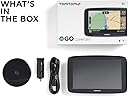
| Built-In Media | TomTom GO Comfort, Reversible integrated mount, car charger & USB cable for computer, documentation |
| Compatible Devices | Compatible with All GPS Brands |
| Compatible with Vehicle Type | Car |
| Connectivity Protocol | Bluetooth, Control4, Wi-Fi |
| Connectivity Technology | Bluetooth, USB, Wireless |
| Control Method | App, Touch |
| Customer Reviews | 4.1 out of 5 stars 823 Reviews |
| Display Type | LCD |
| Global Trade Identification Number | 00636926101066 |
| Human-Interface Input | Touchscreen |
| Item Dimensions L x W x H | 6.4"L x 0.94"W x 4.13"H |
| Item Type Name | Car GPS Navigation TomTom GO COMFORT 6 with Wifi |
| Manufacturer | TomTom |
| Map Types | North America |
| Mfr Part Number | 1BA6.047.00 |
| Model Name | GO Comfort |
| Model Number | 6 |
| Model Year | 2019 |
| Mounting Type | Dashboard Mount, Windshield Mount |
| Resolution | 480 x 272 |
| Screen Size | 6 Inches |
| Special Feature | Bluetooth, Lane Assist, Text-to-Speech, Touchscreen |
| Supported Satellite Navigation System | GPS |
| Touch Screen Type | Capacitive |
| UPC | 636926101066 |
| Vehicle Service Type | Car |
| Warranty Description | 1 year manufacturer |
R**Y
UPDATE:TomTom wins out over Garmin
The real decision is which is better-TomTom or Garmin (I have both). Both are good gps devices and each has some good points that the other does not have. For the way I use a gps, there is no real comparison-TomTom is more suited to my needs. Granted Garmin does a bit better job of lane guidance. However there are far too many pluses for the TomTom. It has much better/more detailed maps. It does a better job of finding the best route. With TomTom itinerary/trip planning is much easier, especially if you want to choose an exact route to follow such as Route 66 or the Lincoln Highway. The final straw was this morning. I typed in a local address (major street in town) on the Garmin and got the message, no such street. Did the same with the TomTom and it took me exactly where I wanted to go. Also the TomTom uses a regular cable for power and traffic to power in the car....Garmin requires that you use their cable. This is an update: My wife and I made a road trip from North Carolina and back. We used both the TomTom and Garmin to make a comparison on a long trip. We were on the interstate most of the way out except for last 300 miles. I input the exact route I wanted to go (north of Los Angeles). TomTom took us exactly the way we wanted to go. The Garmin insisted the shortest and fastest route was going through downtown LA. This was neither the shortest nor the fastest route. For some reason it appeared that Garmin insists that using the interstates is both the shortest and fastest. Never could make it go the way we wanted to go. On the way home, we drove through the Rockies. The route we wanted to take was done for both. TomTom worked flawlessly. Gramin stayed confused, insisting we use the interstate by wanting us to go far out of the way and not the route we wanted to go. At one point the shortest and fastest route was the way we wanted to go (verified by both TomTom and Google maps) while Garmin said another route was faster and shorter....It was 4 hours longer and 200 miles further. Still insisting we travel by interstate. After this trip there is one thing good I can say about the Garmin-it shows the elevation of our current location. That is sort of neat but not really necessary for travel. Without a doubt, for both local driving and long distance road trips, TomTom is head and shoulders about Garmin. I totally recommend TomTom to those who want a GPS that is easy to use and takes you where you want to go
E**E
Outstanding function for the price!
TomTom Go Comfort 6" review. March 2020 Historically I am a Garmin fan. Over the years I've spent thousands on their products and the last few year have had me frustrated with everything about them, hardware, software, poor cases, clunky performance, horrid apps, etc... So out of desperation I began looking at TomTom. I was already familiar with the TomTom MyDrive web App so I decided to buy a TomTom Go Comfort 6" to see if it could possibly be better than my collection of big-dollar Garmins. * I am pleased to say that upon delivery I soon realized that the TomTom Go Comfort 6" was an outstanding GPS especially considering its very reasonable price. * The TomTom Go Comfort 6" has a smooth and predictable touch-screen, a seamless interface with web based MyDrive. and an impressively durable feel to the screen & housing. The menu selections are all of what you need and none of what you dont. I am truly stunned that a GPS at this price point solved so many of the issues I have with my collection of high-priced Garmin products. No more working thru layers of confusing menus, clunky touch screen handling, frustrating & unpredictable search results, and painfully slow response to my inputs. The TomTom product solved all that and more! NOTE: Thank you TomTom for the fast processor! * I dreaded fumbling with custom routes and GPX import/export issues on the Garmin interface. Now with my TomTom Go Comfort 6" I can do all that in a quick, simple, and sensible fashion either on-line or on the GPS itself. * For people like me that do a lot of custom multi stop routes and frequently make route changes in the middle of a journey the TomTom product is exactly what I recommend.
H**9
My Drive app will drain your phone battery
Its got a nice big screen, easy to use, pretty accurate, it took about 3 hours this charge the first time and would not connect to our home wifi until it was charged. PROS . Big screen easy to use You can set up a trip on your home computer and download to the Go CONS The TomTom site is comfusing and hard to navigate TomTom shut down their Q&A open board- you have to dig thru pages and dead ends to find any answers. The MyDrive app used 48% of my phones battery in about an hour!!!! you can bluetooth link you phone to the Go and get traffic updates etc. but. you need to keep ypur phone plugged in or it will die. It didnt recognize "Lowes" and only gave grocery store addresses. ugh. No i didnt try Home Depot but should have. FINAL THOUGHTS. If you are planning a trip its nice to load everything on computer and download it to the Go. very shocked to see MyDrive kill my phone battery in <1 hour. uninstalled program from my phone because it kept working even in the back ground. My drive also asks for permission to access your contacts - Im guess its because the Go acts as an interface for your phone calls
D**!
WAY BETTER THAN GARMIN!! (7/1/21)
Hv had ALL! GARMIN (several different ones); that "Trucker" one (Big Screen)... ALL BROKE!! ALL WENT DEFECTIVE in less than a yr. - GARMIN - MOST DISAPPOINTING - bad in just months! Poorest quality ones now... too bad. -- TOM-TOM: GREAT! The way GPS'ing SHOULD be!!! WIFI UPDATES. BLuetooth... etc.,... Wow!! EZ to see Screens, etc. and yes: ACCURATE! VERY ACCURATE!!! GO TOM-TOM! For now: FORGET the rest! Go with the WINNER!
R**C
keep your old via 1500 series--it is far better and far user friendly
Keep your old Via 1500 series--- Iโm not sure what the hype is about on these new Tom Toms but as far as Iโm concerned they are junk. Iโve had a Tom Tom unit for 12 or 14 years (the via series) and loved them but these new units have much to be desired. I guess the hype is the Bluetooth ability and the auto update without a computer. I donโt care about the blue tooth, I have a phone and so does everybody else, and we donโt need that. That is just a selling point --not a worthy additional feature that was really needed. The auto update is ok as long as you are in range if not, that feature is useless. Another selling tool not really necessary. If I program my routes at home I certainly wouldnโt mind using my computer to update it. Its not like I need it updated every 10 minutes anyway. Whos kidding who? First of all I will give the Go Comfort a โBโ for quickness and not quite as laggy as some of the older models but for the rest a total fail โFโ. They are not an improvement over the old units and not as efficient and certainly not as user friendly. 1. First of all the main menu icons should be all on one page (Like the older units) instead of scrolling thru 3 or 4 pages. That in itself is not user friendly. Keep your old Via 1500 series or other older models that are tried, tested, and proven. 2. The Poi is a joke. With the older models you could go to the Poi icon and click on it and go thru and check the Poi that you wanted and they would be on your maps for any and all trips until you wanted to change them. I donโt see that at all. After finding the list which was a chore in itself of Poi when I check one then the whole list goes away almost as if you could only enter one at a time for each trip or you have to only check one at a time. Very un user friendly. Keep your old Via 1500 seriesโits far better. 3. You canโt choose various warning sounds as in the older models. Was that really an improvement? Keep your old Via 1500 series. 4. The 3-d screen looks like something a kid would drawโunrealistic. 5. No choice on the start or end screen. Keep your old Via 1500 series. 6. I noticed the buttons seem to get stuck and you have to hit them repeatedly to get them to function. Tom Tom has always had this problem I assume, for even on my old units you have to be very deliberate when pressing the buttons. A bug that needs to be fixed. 7. I tried to use the Go Comfort to go home and it would not communicate with me on the turns etc. My old via takes care of me. It tells me every turn etc. Keep your old Via 1500 series. 8. My Places replaces the My Favorites on the older models. Did that really need changing? But thatโs not all. To add a place to the list 1. you have to press add, 2. then search, 3. then enter a city, 4.then select it, 5. then select add, 6. then select add again!!!!! Seriously Keep your old Via 1500 seriesโits far better. 9. The touch screen is silly. You canโt touch it and get any kind of accuracy. It would have been nice if you could at least touch the main cities that are spelled out on the maps to get you them. 10. The instruction manual is seriously lacking info. How to delete address? Managing POI???? I shouldnโt have to have a computer to get instructions for how to operate my GPS. Keep your old Via 1500 seriesโits far better and far more user friendly. Easy to learn. I ran across one website that gave the Old Via 1505 in the top seven or eight gps. Tom Tom could have a great unit if they would take these problems and solve them and put them in all in one unit. That would be a great unit worth 400 dollars. I would buy one myself and maybe get a back-up. PS Tom Tom customer service is terrible. You canโt always solve problems via e-mail or forum or computerize messages. Even the videos donโt answer all the problems. There are times you need to talk to a real person. They know that. There should be a customer service Phone number listed with each and every unit. It used to be that way with the older models. How about that? (There is a reason why a phone number is not given. i bought a Go Comfort just to try it out but i will be returning it. it is not an improvement. Tom Tom you can do better than this.
S**A
Traffic info requires an internet connection!
It's a good GPS receiver. It does what it's supposed to do, although I found its user interface to be a bit cumbersome to navigate. The real problem is that its idea of "real time traffic" doesn't mean it has a built-in traffic info receiver. Instead, it needs an internet connection which means making your phone a hot spot. Hey, if I have to do that, I might as well use my phone as a GPS receiver.
J**G
Exactly what I needed and wanted!
I had to buy a new GPS since my 12 year old tomtom decided to crap out on me and it wouldn't even stay on when I had it in the charger. I was scared of buying a new one since I was so used to mine. This tomtom has everything my old one had (yes different locations and new looks) but it has everything I liked on my old tomtom. I did have to get used to it of course but now that I've used it it's great! Now it's not perfect and I only say that because everything lags, when you hit menu it takes about 1-2 seconds to pull up, if you hit recent destinations another 2-3 seconds to load up I'm pretty sure it's just the design since the map is always visible in the background but still lag, press anything else and expect 1-2 seconds of lag. THE GOOD THING THOUGH is that you don't get lag when you're driving, it always keeps up and if you take a wrong turn it does a good job at getting a new route to get you back on track or get you going to the same place using a different route. I recommend this gps, get ready for a lil lag but other wise great!
A**A
Works great with all the details
We love TomTom brand. We finally got a new one since our old one couldnโt update maps (9 years old). We tried another brand but sent it back. This one has the ample warnings before your turn, along with the details like the direction for that turn and future steps. Accurate directions too. I was able to easily update the maps using home WiFi. It even let me know that it had updates. Very happy with our purchase.
J**R
TOMTOM
Iโve been using TOMTOM since 2007 and they are always improving their devices, excellent best navigation devices out there.
C**.
-
-
M**G
Clock time on screen when route not planned
Missing clock when route not planned
Trustpilot
1 month ago
3 weeks ago