Desertcart purchases this item on your behalf and handles shipping, customs, and support to Poland.
🚀 Elevate your home Wi-Fi game with Deco M4 — speed, coverage, and control in one sleek package!
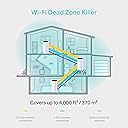
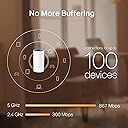
The TP-Link Deco M4 (3-pack) is a dual-band mesh Wi-Fi system delivering up to 1167 Mbps speeds and seamless coverage across 370 m². Featuring an easy app-based setup, parental controls, and smart home compatibility, it ensures fast, reliable internet with family-friendly controls and smooth roaming throughout your home.
| ASIN | B07L45LZP5 |
| Antenna Location | Business, Home |
| Antenna Type | Fixed |
| Best Sellers Rank | 29,702 in Computers & Accessories ( See Top 100 in Computers & Accessories ) 93 in Whole Home & Mesh Wi-Fi Systems |
| Box Contents | 3 x Deco M4 unit |
| Brand | TP-Link |
| Brand Name | TP-Link |
| Colour | black, white |
| Compatible Devices | Tablet |
| Compatible devices | Tablet |
| Connectivity Protocol | Wi-Fi, Ethernet |
| Connectivity Range | 370 Square Metres |
| Connectivity Technology | Wi-Fi |
| Control Method | App |
| Controller Type | IFTTT |
| Coverage | 370 m² |
| Customer Reviews | 4.6 out of 5 stars 2,341 Reviews |
| Data Transfer Rate | 1167 Megabits Per Second |
| EU Spare Part Availability Duration | 2 Years |
| Frequency | 5 GHz |
| Frequency Band Class | Dual-Band |
| Frequency band class | Dual-Band |
| Global Trade Identification Number | 06935364085179 |
| Has Internet Connectivity | Yes |
| Has Security Updates | No |
| Is Electric | Yes |
| Is Modem Compatible | No |
| Item Dimensions L x W x H | 10L x 10W x 9.1H centimetres |
| Item Weight | 1.13 Kilograms |
| LAN Port Bandwidth | 1000 Mbps |
| Manufacturer | TP-Link |
| Manufacturer Part Number | DECO M4(3-PACK) |
| Maximum Upstream Data Transfer Rate | 583 Megabits Per Second |
| Model Name | DECO M4 |
| Model Number | 6935364085179 |
| Model name | DECO M4 |
| Number of Antennas | 6 |
| Number of Items | 3 |
| Number of Packs | 3 |
| Number of Ports | 2 |
| Operating System | RouterOS |
| Other Special Features of the Product | Parental Controls |
| Product Warranty | 2 year manufacturer |
| Router Firewall Security Level | basic |
| Router Network Type | Wireless |
| Security Protocol | WPA3 |
| Special feature | Parental Controls |
| Unit Count | 1.0 count |
| Voltage | 1 Volts |
| Wi-Fi Generation | Wi-Fi 5 |
| Wireless Compability | 802.11ac |
| Wireless communication standard | 802.11ac |
T**N
TP-Link Deco M4 WiFi Mesh
In a nutshell: if you're having trouble with wifi (or internet generally) reaching parts of your house then look no further than the Deco M4. I seem to have spent my life running long cables and messing around with awful wifi power adapters that should extend wifi/internet but end up causing more issues than solving them. So, I was worried about the M4 from TP-Link. I needn't have worried. I purchased the 3 pack and spaced all three devices in equal distance around my house with the final one being in the room that was a dead zone. The whole network was setup in about 10mins and I was running tests shortly afterwards. Unlike power adapters, that extend your wifi through the power sockets, these don't drop out and are error correcting. You don't have to use the wifi either, which is is bonus, so I have devices plugged into the ethernet ports on the back (you get 2x per device). There are 2 operating modes. People on YouTube seem to have been caught out by this as each mode offers different advanced options. The default, out of the box, setting is as a WiFi router. Plug device 1 into the back of your router and that is your primary device and other devices (2 and 3 in my case) talk to device 1. Not much use if device 3 is in an area where wifi doesn't reach. 'Access point' operating mode has to be switched on manually, but once it is on the M4s work as YOU want them to. So, I have the device (call it device 2) in the middle of the house set as the Primary Deco feeding the other devices. Now, device 3 in the room that's normally a black hole for wifi has full strong wifi signal and even two reliable ethernet ports to connect to. I have been trying to catch this system out by running speed tests randomly, adding loads of devices to it etc and it never drops out and has a consistent download and upload speed. I am very impressed. If you connect an ethernet splitter to one of the ports you will notice a speed decrease - that's normal. The iOS app that sets it all up is very well made and idiot-proof (in my opinion). You need the app in order to set it all up (it also works on Android, I believe) and you connect to the Deco's built in default wifi network to get started. The app talks you through it. If you can afford to stretch to the M4 (over the cheaper E4) then it's worth your while as the internal network speed is faster. Handy for those of us with servers, printers and all that guff connected to our routers! Highly recommended.
M**N
Worth for the price
I purchased Deco M4 . Easy to install works great.
J**E
Excelente velocidad y estabilidad.
Antes en mi escritorio me llegaba una señal de 20Mbs en la red de 5Gb y ahora tengo 90Mbs de subida y de bajada. Fantàstico. Vale la pena!
ا**�
ممتاز
ممتاز ومفيد جدا
O**D
Perfect solution
كنت أعاني من الواي فاي بتاع المصريه للاتصالات و من عدم وصول الاشاره لكل غرف المنزل. بعد تركيب هذا الحل و استبدال الواي فاي أصبحت الشبكه بالمنزل اكثر من رائعه. ينصح به بقوه لتغطية المنزل بالكامل
Trustpilot
5 days ago
3 days ago