Buy anything from 5,000+ international stores. One checkout price. No surprise fees. Join 2M+ shoppers on Desertcart.
Desertcart purchases this item on your behalf and handles shipping, customs, and support to Poland.
🚀 Carry Less, Control More: The Ultimate Portable Server Lifesaver
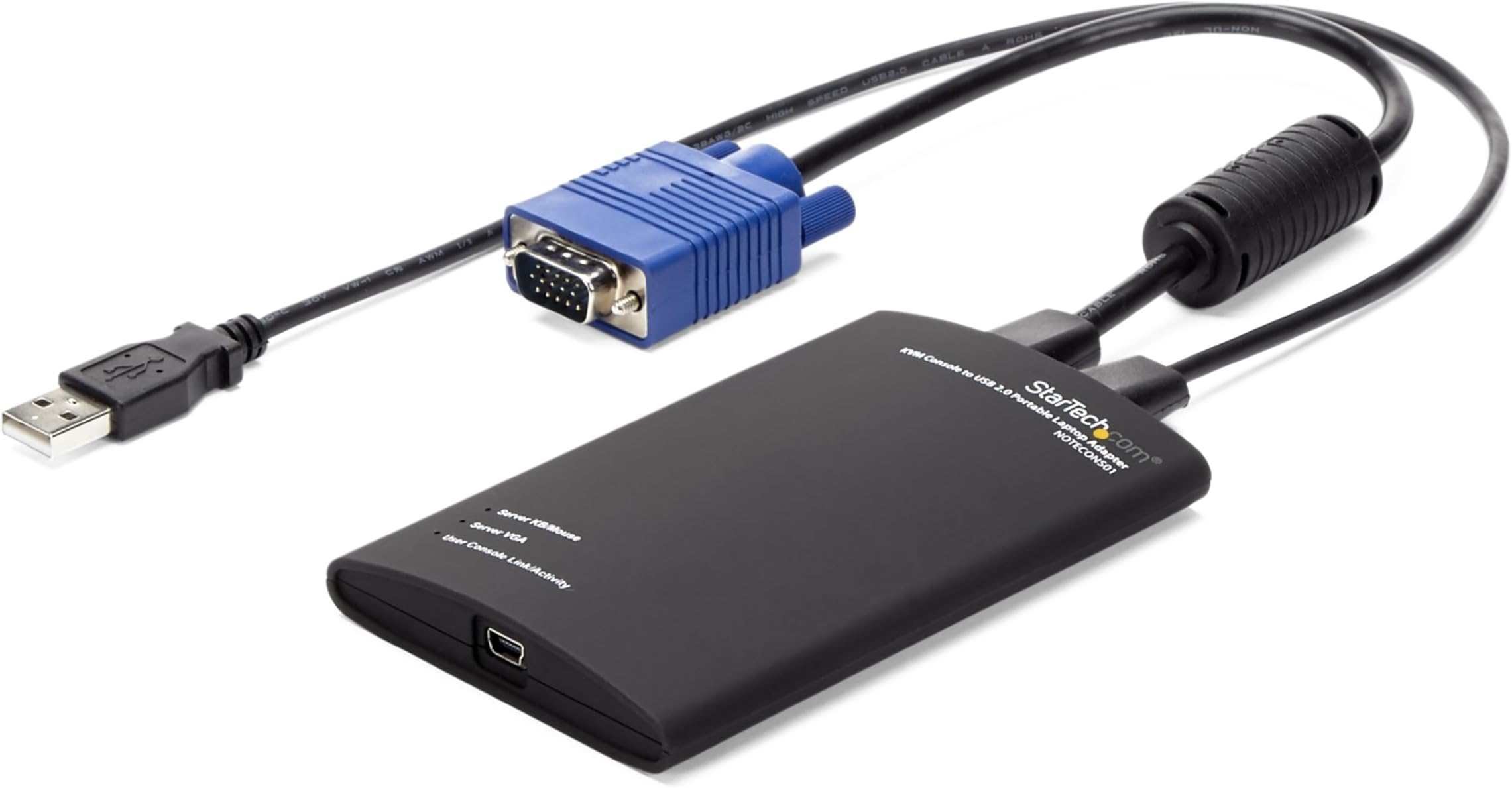
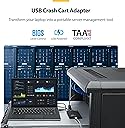
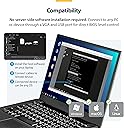
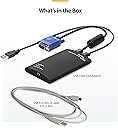
The StarTech.com Portable Laptop Crash Cart Adapter (NOTECONS01) is a USB 2.0 to VGA KVM console adapter that converts your laptop into a portable server management tool. It enables BIOS-level control of headless servers and devices without bulky crash carts, powered directly via USB from the server side. Compatible with Windows, Linux, and macOS, its compact design fits easily in your laptop bag, making it an essential tool for IT professionals managing data centers, kiosks, and remote systems.


| ASIN | B002CLKFTQ |
| Best Sellers Rank | #27 in KVM Switches |
| Brand | StarTech.com |
| Color | Black |
| Compatible Devices | Linux 2.6.x and up - LTS Versions only, USB Keyboard/mouse & VGA video, Windows Server® 2008 R2, 2012, 2016, 2019, 2022, Windows® XP, Vista, 7, 8, 8.1, 10, 11, macOS 10.6 to 10.15, 11.0, 12.0, 13.0, 14.0, 15.0 |
| Connector Type | USB 2.0, VGA |
| Customer Reviews | 4.1 4.1 out of 5 stars (123) |
| External Testing Certification | RoHS |
| Finish | Black |
| Global Trade Identification Number | 00065030835312 |
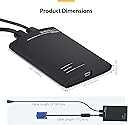
| Item Dimensions | 0.01 x 2.9 x 0.6 inches |
| Item Type Name | KVM Cable |
| Item Weight | 0.37 Pounds |
| Manufacturer | StarTech.com |
| Model Number | NOTECONS01 |
| Number of Items | 1 |
| Number of Ports | 1 |
| Package Quantity | 1 |
| Power Plug Type | No Plug |
| Specific Uses For Product | personal |
| UPC | 065030835312 |
| Unit Count | 1.0 Count |
| Warranty Description | 2 Years |
| Warranty Type | Limited |
O**D
Great for data center work.
I bought this because I am always going to data centers and hate looking for, or just HOPING there is, a crash cart lying around, or that the client has a KVM in the rack. This easily fits in my laptop bag, and comes with me in the truck or on an airplane. And if you get a 15 foot usb cable with it like I did, you can sit on the hot aisle instead of the cold aisle. You data center monkeys will know what I'm talking about. But it works exactly as advertised. You see everything from POST onwards, on anything from desktops to G9 HP servers. WELL worth the cash. Feels solid built too...hefty...but I still treat it like a baby just because of how expensive it is. Fair warning though...on Windows 8 or newer, they don't have any signed drivers yet, so you have to boot into the recovery mode and turn off driver signing in the OS, then it will load the drivers and work fine. It will continue to work until you reboot. So if you just put your laptop to sleep, it will be fine. Just keep this in mind if you think yours doesn't work on Windows 8/10. Once the drivers are loaded the first time, they never need to be reloaded again, but it won't find the device on USB until you turn off driver signing in the OS. Other than that, this is probably the best tool in my bag.
S**N
Great time saver
I tend to work on random computers dropped off at my desk, generally without a PC or keyboard. This product has been a great time saver, I no longer need to track down a spare monitor, or when I'm at a customer's site beg them for a monitor. I'm able to get my work done and I couldn't ask for more. I've even used the adapter for extended development sessions without issues. To give you an idea how versatile this thing is, I've: - Diagnose and repair computers both at work and remotely, including systems that should be headless and stuck in some inconvenient location in a mode that needed some TLC to get running again. - Bring small computers with me to a customer site for work purposes, and use my laptop as the keyboard/monitor. - With the aid of a HDMI->VGA converter box, used this and online meeting software to demo a program running on a tablet remotely, which worked out much better for all parties than pointing a webcam at the tablet. - Demo software on a PC that had no network connectivity to remote customers. The product price might seem a bit much, but to me it's been well worth it. Even if my only use was because I'm the guy friends and family bring dead computers to, I'd seriously consider purchasing it. My only complaint was a one time event: I had a conflict with this product's software and the drivers for the StarTech USB to DVI adapter on a Windows machine. I was able to resolve the issue by manually removing the USB to DVI drivers and re-installing the latest versions. That one issue aside, I've had no problems with the software.
S**A
Poor performance
Doesnt not work properly. Screen blurs off and getting stucked. And does not even open the application after connection.
C**A
Great product for mobile crash cart
I haven't used this very much yet but so far I am very happy with the product. It does exactly what it says it does. I had been lugging a flat panel screen to our Disaster Recovery site lately because the crash cart there was terrible. It is much nicer to just pop-out the laptop and hook this device up. Plus this fits nicely in my laptop case so I've always got it available for those times when you need unexpected console access to a server. The software came on a small flash drive and installed quickly and without any issues. The device is very plug-n-play friendly. If you run the software it will say - plug it in, when you do it then sees it and shows the video feed. Unplug it at any time and the software is fine and just waits for it to be plugged in again. I was a little worried when it says the server needs to power the device (so it didn't drain the laptop battery) because sometimes you just don't want to plug in a USB to a critical sever, and some old servers may not even have USB (or you may want to plug into the PS2 port which requires the included USB-to-PS2 adapter.) But the device worked like a champ with or without the server side USB plugged in. Granted you don't have keyboard or mouse if you only plug in the VGA, but you can at least view the screen which is sometimes all you want. I assume it pulls power from the laptop in this case. I like that you can take snapshots of the server screen, especially for those errors that only stay on the screen for a few seconds. The tool bar can be on top or to the left. My only suggestions to make this a 5-star item would be: 1) To embed the software in the unit. The included 2GB flash drive was nicer than a CD, and I attached it to the USB cable via a twist-tie so it doesn't get lost, but I've seen products simply embed the flash drive in their products. 2) Provide video capture in the software so you can capture the boot-up sequence. Sometimes those blue-screens blink by so fast you don't even have time to click the button to take a snapshot. All-in-all, a very fine product, well worth the cost!!
G**S
haben uns für jeden unserer Serverräume einen dieser Adapter zugelegt und auf jedes Admin-NB die Software installiert .... funktioniert einfach und genau so wie es soll !
S**Y
This is a great product for data centers and the like. Very easy to use just install the and your away. I would suggest getting a small vga extender to allow the adapter a bit more room so it can be placed on top of servers etc to reduce strain on the server vga connector.
T**T
Testé avec un PC,le boitier donne entière satisfaction et remplit parfaitement son rôle, en tous les cas sur support PC. Les logiciels nécessaires sont fournis dans la boîte. La boîte justement. Peut-être ma seule réserve mais ce pauvre emballage carton fait un peu "cheap", même si la bête est en réalité un vrai monstre.
S**H
Absolutely invaluable if you work on PC's professionally. Saves carrying (or finding) a keyboard, mouse and monitor. Turns your laptop into all three. Very handy for instance for updating BIOS settings PC in one window, settings in another. I'm just waiting for them to come up with a wireless version, although I guess that would be easier to leave at a customer site! This is my second one so a word of caution - don't leave the USB lead plugged in while carrying around in your kit. The socket came of the board in the first one.
T**H
Familier des KVM, j'avoue que je ne connaissais pas ce type d'appareil. Là où le KVM permet de connecter des multitudes de serveurs à un seul et même écran, celui-ci permet de connecter un seul serveur à un écran virtuel sur un portable, au moyen d'un petit soft qui s'installe tres rapidement (testé sous windows 7 et mac OS leopard). C'est un usage assez différent, très intéressant, notamment pour les informaticiens mobiles qui doivent intervenir sur des serveurs n'ayant pas forcément un dispositif KVM statique. On peut même imaginer, dans une salle pourvue de kvm, de le brancher dessus pour garder l'accès à ses procédures, stockées sur le PC. Toutefois, pas la peine d'imaginer que l'on pourra faire des copier-coller. Le signal transmis est un signal vidéo. En revanche, il y a des limites, qu'il vaut mieux connaître. 1) c'est du vga que l'on capture, pas du hdmi ni du dvi. Il faudra un convertisseur dans de pareils cas. 2) on dispose d'un port USB pour clavier et souris. En USB, pas de souci, mais s'il faut passer en PS2, ça sera clavier. 3) en mode graphique, c'est un peu comme les KVM IP, c'est lent. La souris va lentement, l'affichage est lent et parfois buggué. C'est pas le pire de ceux que j'ai vu, mais ça mérite d'être noté. 4) Dernier point, sous Mac, le clavier est assez mal reconnu (un qwerty bizarre)
Trustpilot
2 days ago
2 weeks ago